Payment and shipping
Any SalesArt Drupal-based online store with Drupal Commerce must provide customers with convenient and secure payment and delivery options. Proper configuration of these modules determines customer trust and the number of successful orders.
1 General structure
In Drupal Commerce, the payment and delivery system is configured through sections:
- Commerce → Configuration → Payment;
- Commerce → Configuration → Shipping. Here the administrator can enable modules, add providers and configure tariffs.
2. Setting up payment methods
Drupal Commerce supports both online and offline payments.
2.1. Online payment
Special plugin modules are used for connection. Popular options include:
- PayPal - international payments;
- Stripe is a convenient system that supports bank cards;
- LiqPay (Ukraine);
- Yandex.Checkout / YooKassa (Russia);
- Fondy , Robokassa , CloudPayments, etc.
🔹 Setup steps:
- Install the appropriate module (e.g. commerce_stripe ).
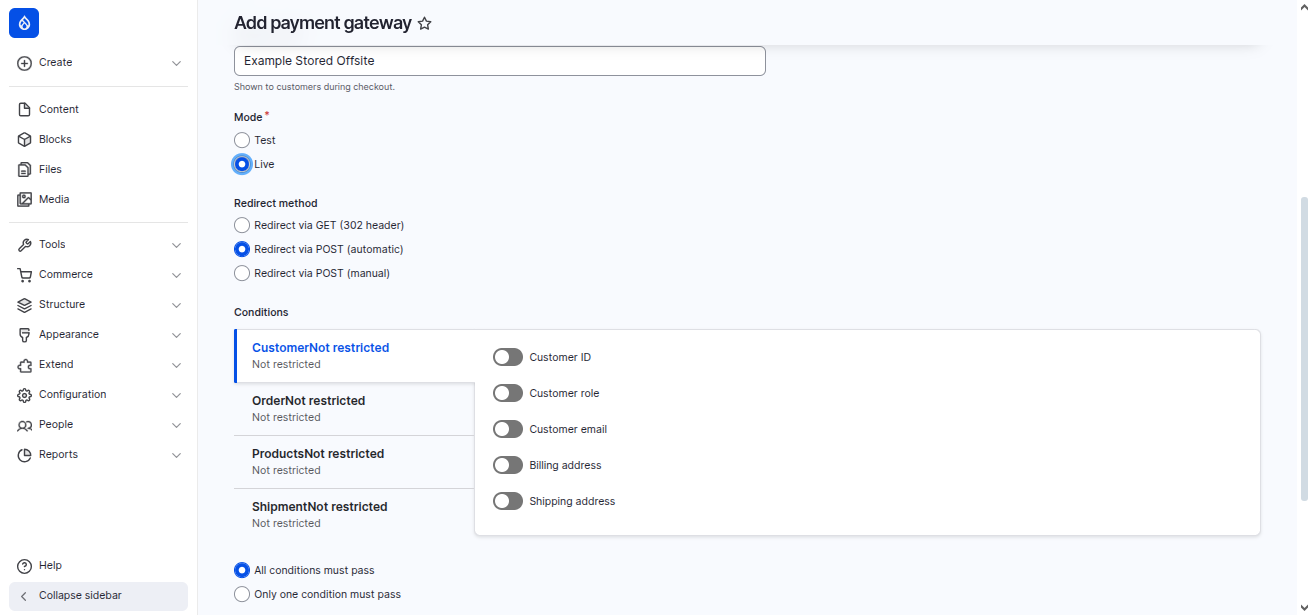
- Go to Commerce → Configuration → Payment → Payment Gateways.
- Click + Add payment method.
- Enter the API keys from the payment system.
- Please specify currency and availability conditions.
Enable Stripe payments only for dollar orders.
2.2. Offline payment
Some customers prefer to pay upon delivery. For this, you can add the following payment methods:
- C.O.D;
- Payment in cash upon pickup;
- Bank transfer.
🔹 Setup steps:
- In the Payment settings, select "Add method".
- Select Offline and the Manual plugin.
- Please set the title ("Payment on delivery").
- Save.
📌 For your convenience, the "Cash" payment method has already been created.
2.3. Payment recommendations
- Always test integration in a sandbox.
- Enable multiple payment methods to reduce the risk of refusals.
- Set up automatic order status changes after successful payment.
- Use HTTPS (SSL certificate) to secure transactions.
3. Setting up shipping methods
Commerce Shipping module included with our SalesArt build, allows you to manage shipping.
3.1. Shipping types
- Courier delivery;
- Postal delivery;
- Pick up;
- Express delivery.
3.2. Adding a shipping method
- Go to Commerce → Configuration → Shipping → Shipping Methods.
- Click + Add shipping method.
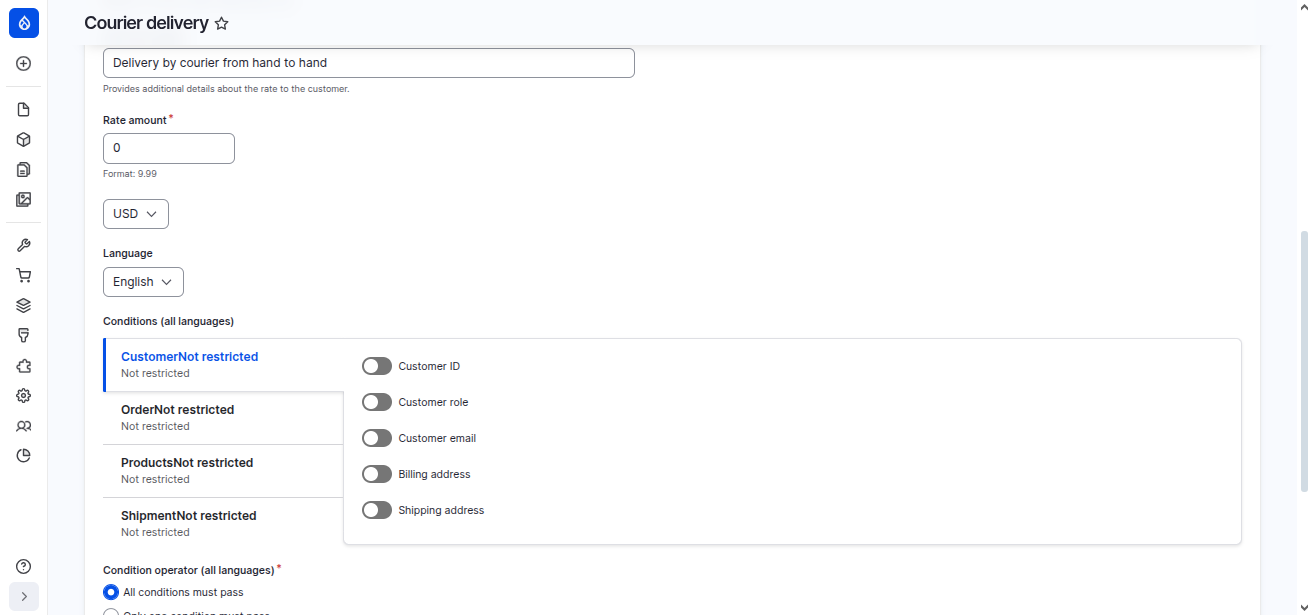
- Enter a title (for example, "Courier Delivery Within the City." This method has already been created).
- Set up your tariff: fixed price or dynamic calculation.
- If necessary, add conditions (for example, free delivery on orders over 300$).
- Courier delivery in Gdansk — 5$;
- Free delivery for orders over 300$;
- Pickup from the store is free.
4. Setting up shipping rates
Tariffs can be configured:
- by weight of products (up to 1 kg - 5$, from 1 to 5 kg - 7$);
- at the order price (free from 300$);
- by region (Berlin - 5$, regions - 7$). The Commerce Shipping Conditions module is need to use for this purpose.
5. Integration with shipping services
Drupal Commerce has modules for integration with courier services:
- UPS, FedEx, DHL (international delivery);
- Boxberry, SDEK (Russia);
- Nova Poshta (Ukraine).
- Other
🔹 Example setup:
- Install a module (for example, commerce_cdek ).
- Enter the API keys received from the shipping service.
- Please set available shipping methods (courier, pick-up point).
- Tariffs will be calculated automatically via API.
6. Delivery recommendations
- Be sure to specify delivery times in the method settings.
- Make shipping transparent: the customer should see the cost immediately in the cart.
- Add several options (courier, pick-up, email).
- Set up automatic sending of tracking numbers to clients (via Rules or a third-party module).
7. Tips for optimizing "Payment and Shipping"
- Minimize the number of steps during checkout.
- Set up smart conditions: free shipping on orders over a certain amount encourages purchases.
- Add payment system and delivery service icons to your shopping cart to increase trust.
- Provide mobile adaptation of payment forms.